 RoomDisk
Send large files and videos between your devices, without uploading
Messaging apps compress video, and link-sharing services upload your file to a server so the other device can download it again: twice the waiting, size caps on free plans and links that expire. Between your own devices, RoomDisk sends the original file directly, with no size limit, and continues if it’s cut off.
How to do it
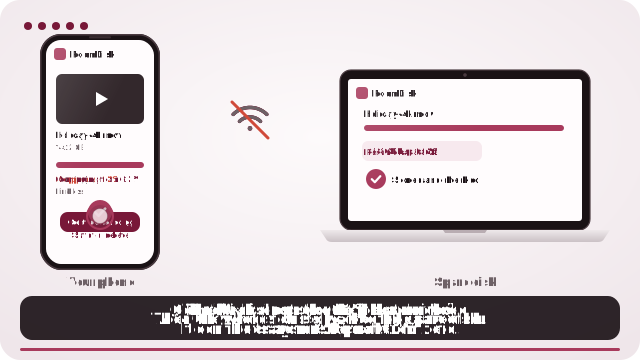
- Open roomdisk.com/app on the device that will keep the files and choose Use this device as the spare disk. It shows a QR code.
- On the phone or computer with the files, scan that code. A phone’s Camera app works: tap the roomdisk.com link that pops up. RoomDisk opens and shows its own code.
- On the spare disk, tap Scan reply and hold the phone’s screen up to its camera. (No camera there? Tap Share reply on the phone and open it on the disk device.)
- Both screens say Connected. Choose files and send. Each file is checked when it lands.
Why people switch to RoomDisk
- One trip, not two. Files go straight to the other device.
- No size limit, no compression, no expiry, no account.
- Resumes from the last checked piece after a drop.
- Works without internet on a phone hotspot.
- Nothing stored on a server, ever.
Tips for big files
- Put both devices close to the Wi-Fi router, or use one device’s hotspot.
- Keep both screens on: RoomDisk keeps them awake while it works.
- If it stops, pair again and send the same file: it resumes, it doesn’t restart.
- After it lands, play it from the disk under Files to check it.
Speed depends on your Wi-Fi: on a good home network, expect tens of megabytes per second between modern devices.
To send a file to someone else’s device far away, a sharing link is still the right tool. RoomDisk is for your own devices (and with Anywhere, your own disk from another network).
Questions
Is the video compressed?
No. The exact file is copied and checked with SHA-256 on both devices.
Is there a file size limit?
No. The limit is the free space on the disk.
Can I watch it on the disk without downloading?
Yes. Videos stream from the disk in Files.
Try it with the two devices you have
Free to start. Nothing to install, no account.