 RoomDisk
Offload a shoot to a spare device, and know every file made it
Copy photos and clips to a laptop, tablet or spare phone on location, without cables, uploads or internet. Every file is fingerprinted on both sides, big video transfers resume if the link drops, and each batch leaves a receipt you can keep with the job.
Why it fits
- Originals, byte for byte: RAW, HEIC, JPEG, DNG, ProRes, anything.
- No size limit and no compression; 4K and 8K clips included.
- Resumes from the last good piece after a drop.
- Stream clips from the disk to check them before deleting.
- Works on a phone hotspot in a field: no internet needed.
- Receipts with a .sha256 checklist, per batch, saved on the disk.
- Pro ($14.99 once) adds a queue, a full history and storage insights.
How it works
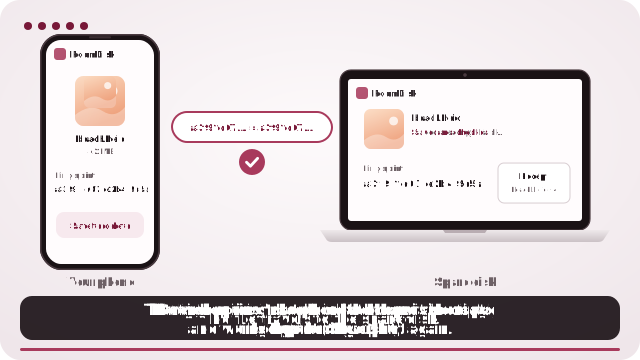
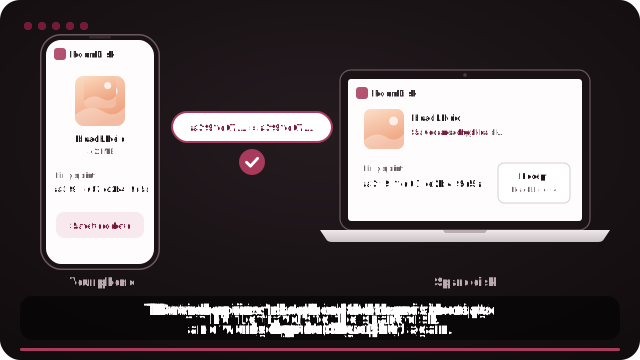
- Open roomdisk.com/app on the device that will keep the files and choose Use this device as the spare disk. It shows a QR code.
- On the phone or computer with the files, scan that code. A phone’s Camera app works: tap the roomdisk.com link that pops up. RoomDisk opens and shows its own code.
- On the spare disk, tap Scan reply and hold the phone’s screen up to its camera. (No camera there? Tap Share reply on the phone and open it on the disk device.)
- Both screens say Connected. Choose files and send. Each file is checked when it lands.
A two-copy habit that takes a minute
Send the day’s selects to a laptop, then tap put these on another spare disk too in the send details to copy them to a spare phone as well. Delete from the card or camera roll only when both say safe to delete.
Free space between takes
Offload a full camera roll, check a couple of clips play from the disk, then clear space for the next scene.
Try it with the two devices you have
Free to start. Nothing to install, no account.