 RoomDisk
Reuse an old phone or tablet as extra storage
An old phone or tablet with 64 or 128 GB is a perfectly good spare disk. Open RoomDisk on it, plug it in, and send photos from your current phone. No app store, no account, and every file is checked.
How to do it
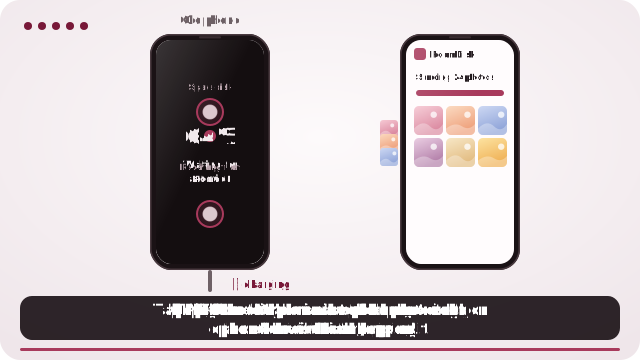
- Charge the old device, connect it to Wi-Fi and open roomdisk.com/app. On iPhone or iPad, add a RoomDisk shortcut to the Home Screen first and open it from there, so files are kept.
- Choose Use this device as the spare disk and Inside this browser.
- Tap Disk mode: the screen stays on and shows only what’s happening.
- Pair your current phone with the QR code and send.
Phone or tablet: which is better?
- A tablet usually lives at home on a charger, which makes it a good always-there disk for the whole family. Rename it in Settings (for example “Family photos”) so everyone recognises it.
- An old phone is small enough to take on a trip as a second copy, and works on a hotspot with no internet.
Make it reliable
- Keep it plugged in while it’s receiving.
- iPhone/iPad: Settings › Display & Brightness › Auto-Lock › Never while it runs, and Guided Access to keep RoomDisk on screen.
- Android: pin the app on screen.
- Free space on it first: delete apps you won’t use on it.
Several people, one disk
Each family member pairs once and ticks Remember. Photos land in a folder per device; browse them on the disk itself or from any paired phone.
Getting files back out
From any paired device, open Files to browse, stream and download. On the old device itself, select files and Save to Photos or Files in one go.
Questions
Which old phones and tablets work?
Any with a reasonably modern browser: iPhones and iPads on iOS 15 or later, and Android devices with an up-to-date Chrome, are a good guide.
Does it need a SIM card?
No. Wi-Fi, or another phone’s hotspot, is enough.
Can the whole family use one tablet?
Yes. Each phone pairs once; files are kept in a folder per device.
Try it with the two devices you have
Free to start. Nothing to install, no account.