 RoomDisk
A phone flash drive alternative that doesn’t depend on an app
People who back up an iPhone to a flash drive like the SanDisk iXpand often run into the same problems: the app crashes after an iOS update, backups end with nothing copied, files get renamed or overwritten, and deleted files are gone for good. RoomDisk uses a device you already own as the drive, in the browser, and proves every copy.
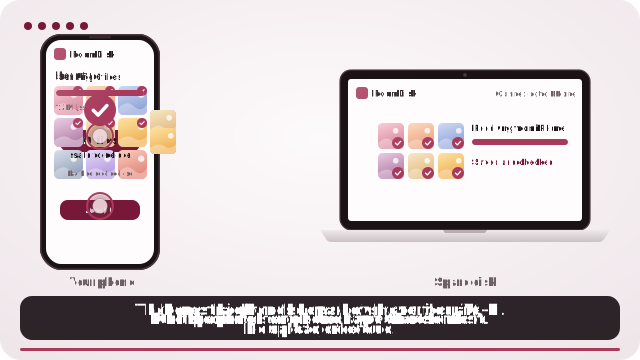
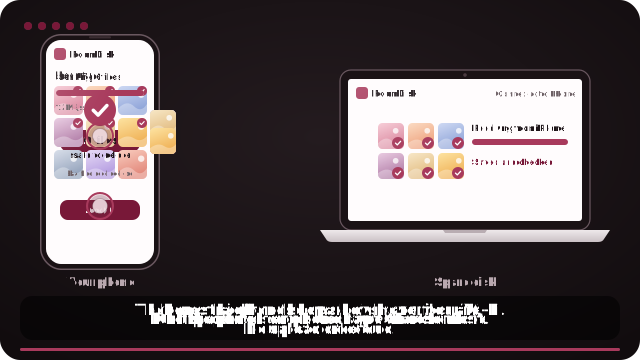
How to do it
- Open roomdisk.com/app on the device that will keep the files and choose Use this device as the spare disk. It shows a QR code.
- On the phone or computer with the files, scan that code. A phone’s Camera app works: tap the roomdisk.com link that pops up. RoomDisk opens and shows its own code.
- On the spare disk, tap Scan reply and hold the phone’s screen up to its camera. (No camera there? Tap Share reply on the phone and open it on the disk device.)
- Both screens say Connected. Choose files and send. Each file is checked when it lands.
What people run into with phone flash drives
- The drive only works through its companion app, so an app bug or an iOS update can stop backups.
- Backups that finish with errors such as “backed up 0 items”, with no clear reason.
- Files renamed or a newer copy overwriting an older one.
- No undo: a deleted file is simply gone.
- Slow transfers, one batch at a time, and a connector that has to match the phone (Lightning or USB-C).
Why people switch to RoomDisk
- No app to install or update. It runs in the browser on both devices.
- Every file proven. SHA-256 on the phone and again on the disk, with a receipt for each batch.
- Nothing overwritten. A file with the same name gets its own name; nothing is replaced.
- Undo for deletes. Deleted files wait in Recently deleted for 30 days.
- Any connector. It’s wireless, so Lightning, USB-C or adapters don’t matter.
Phone flash drive or a spare device?
| iPhone flash drive | RoomDisk on a spare device | |
|---|---|---|
| Cost | Buy the drive | Free (Pro is one payment) |
| Connector | Must match: Lightning or USB-C | Wireless |
| App | Its own app, updated for each iOS | The browser |
| Checks each copy | Rarely | Yes, SHA-256 with receipts |
| Undo a delete | Usually not | Recently deleted, 30 days |
| Needs Wi-Fi or a second device | No | Yes (a phone hotspot works) |
iPhone 14 and earlier use Lightning; iPhone 15 and later use USB-C, so a drive bought for one may not fit the next.
Honest trade-off: a flash drive works with no Wi-Fi and no second device. RoomDisk needs two devices on the same Wi-Fi or a phone hotspot.
SanDisk and iXpand are trademarks of their owners. RoomDisk isn’t affiliated with them.
Questions
Does RoomDisk work with iPhone photos in HEIC?
Yes. It copies exactly the files iPhone gives it. For originals, choose “Current” under Options in the photo picker, or pick from the Files app.
Can I still use my flash drive?
Of course. Many people keep a flash drive as a second copy and use a spare device for everyday copies.
Try it with the two devices you have
Free to start. Nothing to install, no account.