 RoomDisk
A wireless hard drive alternative, with no hardware
Wireless flash drives and hard drives (like the WD My Passport Wireless) promise storage you reach over Wi-Fi. Owners often report that the drive won’t show up on the network, drops the connection, buffers videos and works properly only over USB. A spare laptop, tablet or phone can do the same job through the browser.
How to do it
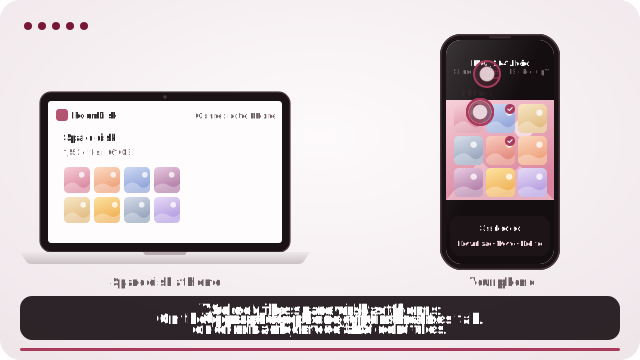
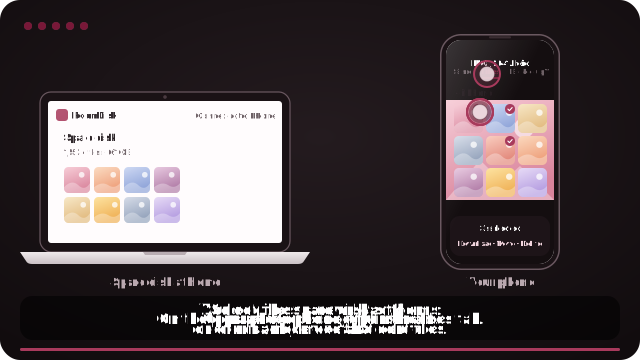
- Open roomdisk.com/app on the device that will keep the files and choose Use this device as the spare disk. It shows a QR code.
- On the phone or computer with the files, scan that code. A phone’s Camera app works: tap the roomdisk.com link that pops up. RoomDisk opens and shows its own code.
- On the spare disk, tap Scan reply and hold the phone’s screen up to its camera. (No camera there? Tap Share reply on the phone and open it on the disk device.)
- Both screens say Connected. Choose files and send. Each file is checked when it lands.
What goes wrong with wireless drives
- They create their own Wi-Fi network, or must join yours, and either can fail.
- Settings and files go through a companion app or a web dashboard that may not load.
- Wi-Fi speed on small drives can be far below their USB speed.
- Fixes arrive as firmware updates, and not every update helps.
How it compares
| Wireless drive | RoomDisk | |
|---|---|---|
| Hardware to buy | Yes | No: use a device you own |
| Network | Its own Wi-Fi, or joining yours | Your Wi-Fi or a phone hotspot |
| App to install | Usually | No, runs in the browser |
| Verifies each copy | Rarely | Yes, SHA-256 on both sides |
| Resumes cut-off transfers | Varies | Yes |
| Browse and stream | In its app | In any browser |
If you need a big drive in a backpack and no other device, a USB drive is still simpler. RoomDisk is for when you already have a spare device.
WD and My Passport are trademarks of their owners. RoomDisk isn’t affiliated with them.
Questions
Can I stream videos from it like a wireless drive?
Yes. Videos on the spare disk play straight from it in Files, and you can skip ahead.
Does it need internet?
No. Both devices on the same Wi-Fi, or one device’s hotspot, is enough.
Try it with the two devices you have
Free to start. Nothing to install, no account.